Speedometer PRO HUD1.0
Publisher Description
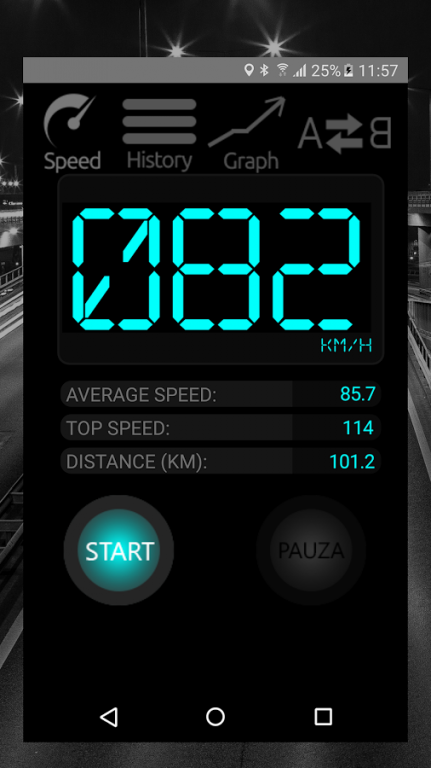
Speedometer PRO, PRO speedometer - Displays current speed on a digital speedometer, tracks the speed and distance of the total. Speedometer PRO for use in the car, on a boat or on a plane!
Speedometer is a popular program that lets you measure the speed. The application has a speedometer functions satisfy even the most demanding people. .
In the application speedometer was extensive history crossings, which are automatically saved data on. The maximum and average speed, distance traveled and route. Interactive graph clearly shows the ratio of speed to time. All data speedometer are arranged chronologically and can be managed.
The free app speedometer is very easy to use, works in the background and can enable a pause, so as not to disturb the velocity statistics.
A special widget in speedomteter allows current tracking speed in each navigation. Just click it to move to full screen speedometer PRO.
Optionally, you can set the speed limit. When a user exceeds the limit changes color display digits.
With this application, each car speedometer may change in the future with a modern vehicle HUD display on the windscreen.
- Full screen digital speedometer
- Keeps track of the distance (trip and total distance) and top speed.
- Digital display can be mirrored so you can see properly in the so-called glass. HUD
- History of completed trips
- Simple and quick in action Speedometer
About Speedometer PRO HUD
The company that develops Speedometer PRO HUD is MOBISKY. The latest version released by its developer is 1.0.
To install Speedometer PRO HUD on your Android device, just click the green Continue To App button above to start the installation process. The app is listed on our website since 2016-10-19 and was downloaded 9 times. We have already checked if the download link is safe, however for your own protection we recommend that you scan the downloaded app with your antivirus. Your antivirus may detect the Speedometer PRO HUD as malware as malware if the download link to pl.android.speedometer is broken.
How to install Speedometer PRO HUD on your Android device:
- Click on the Continue To App button on our website. This will redirect you to Google Play.
- Once the Speedometer PRO HUD is shown in the Google Play listing of your Android device, you can start its download and installation. Tap on the Install button located below the search bar and to the right of the app icon.
- A pop-up window with the permissions required by Speedometer PRO HUD will be shown. Click on Accept to continue the process.
- Speedometer PRO HUD will be downloaded onto your device, displaying a progress. Once the download completes, the installation will start and you'll get a notification after the installation is finished.
